Getting started with the-daily.studio
You do not need to know a studio from a stage. The first page asks what you want to do, not how good you are, and a small card then takes you through it one step at a time. Each step ticks off when the app sees you do it.
Open the studio, free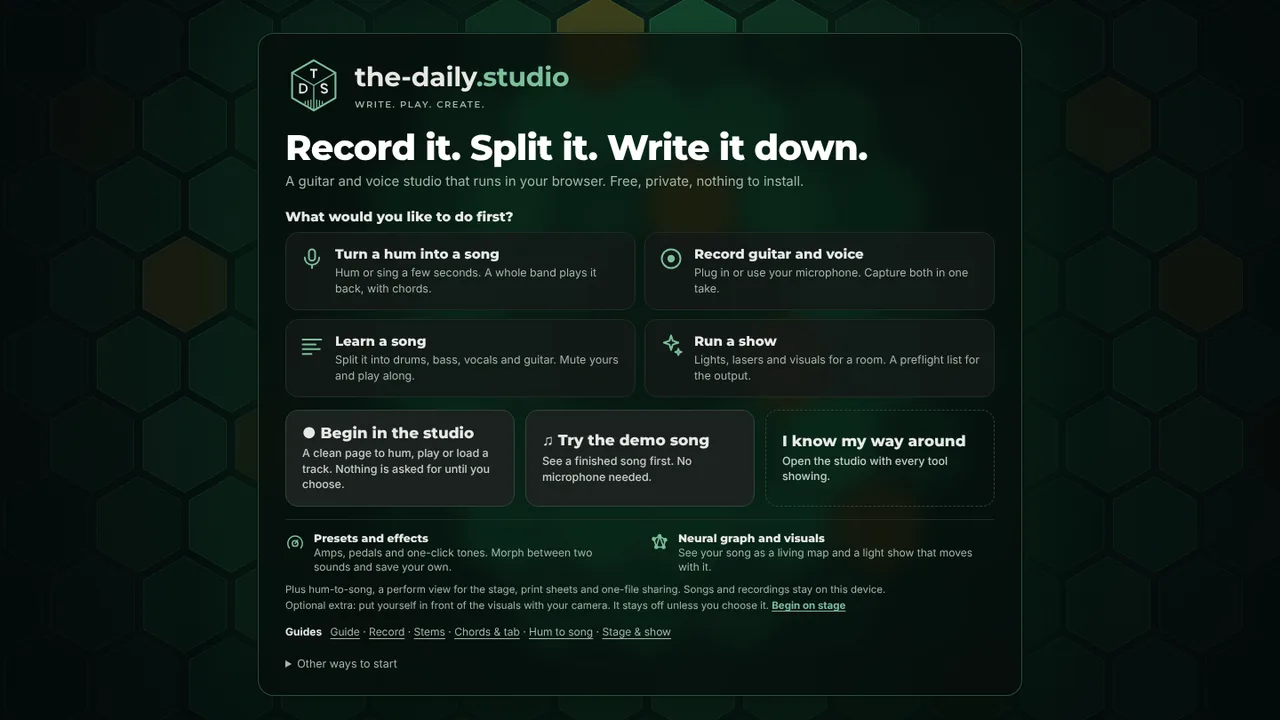
Pick what you want to do
- Turn a hum into a song: hum or sing a few seconds and a whole band plays it back, with chords.
- Record guitar and voice: plug in or use your microphone and capture both in one take.
- Learn a song: split it into drums, bass, vocals and guitar, mute your part and play along.
- Run a show: lights, lasers and visuals for a room, with a preflight list for the output.
How a guided session works
- A small card names one step and points at the control with a pulsing outline.
- You do the step. The app notices (a hum recorded, a take stopped, a test pattern shown) and ticks it off.
- Stuck? Press Show me to be taken there, or Skip. Leave at any time and come back to the same place.
- Finishing a session adds tools to the tab strip, so the studio grows with you instead of starting crowded.
Help that stays out of the way
The first time you open a tab, a short note says what it is and gives one thing to try. Press Got it and it folds into a small line. A list of studio words, explained in guitar terms (lane, clip, take, arm, stem, latency), is under Help. If you already know your way around, choose that on the first page and every tool is on from the start, with no notes.
For a technician
The Show session is a preflight: pick a look, check the rig, open the output, run a test pattern, set the master level, try the blackout, then play the song once and watch the flash meter. The same checklist sits in the Output tab of Show setup. The lasers and lights are a screen simulation; there is no DMX or ILDA output.
Questions
- Do I have to take the guided sessions?
- No. Choose Begin in the studio, or I know my way around, and there is no coaching. You can start a session later from the Help button.
- Does it ask for the microphone straight away?
- No. Nothing is requested until you press a button that needs it, and the guided session says so before it asks.
- Where is my work kept?
- On your device, in this browser. Nothing is uploaded.
Keep reading
- Hum a melody and get a whole songHum or sing for 10 to 30 seconds and get a full song: your notes, key and tempo, chords and every section, played by a band.
- Record guitar and voice in your browserRecord guitar and microphone at once in your browser: two-input interfaces, count-in, punch-in, dry and wet takes, editable clips, WAV export.
- Split a song into stems in your browserSeparate a song into drums, bass, vocals and guitar/other in your browser and mute the part you play.
- Live visuals and a light show for your musicA browser stage with moving lights, haze, an LED wall and simulated lasers that follow your song, a show designer, full-screen output and light comfort limits.