Chords, tab and lyrics from a song or your playing
Load a song or record yourself and the studio writes down what it hears: the tempo, the key, the chord of every bar, and guitar tab placed on strings and frets for your tuning. Put lyrics underneath and print or export the sheet.
Open the studio, free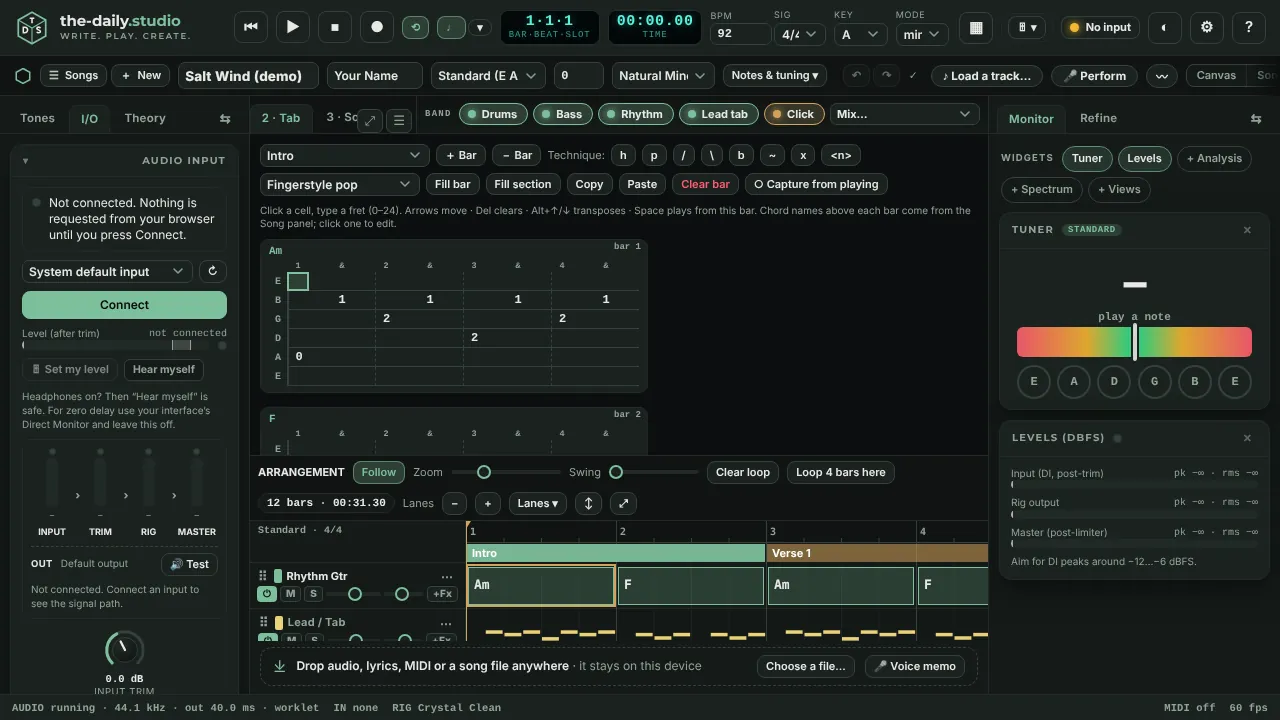
Chords from audio
Load a track in Stems and the app reports its tempo, key and the chord of every bar, with the drum groove it found. If it chose double- or half-time, one button halves or doubles the tempo; if the bar lines are a beat out, nudge the downbeat. Then import the chords as your song.
Audio to tab
Transcribe turns a take, an imported file or a live recording into polyphonic tab. Notes are placed on strings and frets for your tuning and capo (standard, Drop D, Eb and the others the app supports) and coloured by how sure the detector is. Accept or reject notes, then apply them to the song, replacing bars or filling empty ones.
Write and edit
The tab editor takes fret numbers from the keyboard or an on-screen keypad on a phone, with hammer-ons, pull-offs, slides, bends, vibrato and muted notes. Fill bar and Fill section offer fingerstyle and strumming patterns to start from.
Lyrics under the chords
Type, paste or drop in a .txt or .lrc lyric file and the chords sit over the words, section by section.
Share the sheet
Export Ultimate Guitar style text, ChordPro, MIDI, a master WAV, a one-file share page that plays in any browser, or a print sheet with chords over the words, which the browser can save as a PDF.
Honest accuracy
Detection is an estimate. On the built-in self-test, which transcribes synthetic guitar with known notes, the tab detector scores about 87 % F1 in standard tuning, and that is an upper bound: a real room, a noisy interface or heavy distortion will do worse, and low tunings such as Drop B are less accurate. Chords are good on clear recordings and can be fooled by dense mixes. Review before you apply. It supports six-string guitars.
Questions
- Can it write tab from any song?
- It can try on any audio you load. Results are best on a clean, single-instrument recording of a guitar and weaker on a full mix, where the guitar has to be found among everything else.
- Does it support alternate tunings and a capo?
- Yes. The string names, the fret placement and the transcriber follow the tuning and capo you choose.
- Which formats can I export?
- Ultimate Guitar style text, ChordPro, MIDI, WAV, a one-file HTML share page, and a print sheet that can be saved as a PDF.
Keep reading
- Split a song into stems in your browserSeparate a song into drums, bass, vocals and guitar/other in your browser and mute the part you play.
- Hum a melody and get a whole songHum or sing for 10 to 30 seconds and get a full song: your notes, key and tempo, chords and every section, played by a band.
- Record guitar and voice in your browserRecord guitar and microphone at once in your browser: two-input interfaces, count-in, punch-in, dry and wet takes, editable clips, WAV export.